PSNI Global Alliance, the leading global network of technology integrators and service providers, has reinforced its mission for the highest worldwide standards with the introduction of its Strategic Account Specialist (SAS) Certification. The SAS certification is the third accreditation developed by The Alliance and involves a comprehensive process to ensure its Certified Solution Providers (CSPs) meet PSNI’s criteria for pre-installation practices, including customer relationships and engagement, deployment practices and future growth strategy. Chris Miller, Executive Director for PSNI Global Alliance explained the importance that this new Strategic Account Specialist Certification will deliver for customers, “The SAS program is a business transformational model that focuses on teaching CSP account managers the critical skills that utilize common value enablers provided by being part of The Alliance. “ “In a world where everything is quickly being commoditized, it is how you engage with customers and connect with their real needs that is the differentiating factor. PSNI’s Strategic Account Specialist Certification has undoubtedly enhanced our customers experience already.” Covering several areas, including, customer experience, proven best practices, and relationship building, CSPs are required to train and complete a strategic account management workshop, as well as present to a PSNI panel and build a suitable account plan to earn their accreditation. “Professionalism and preparation are the keys to understanding, meeting and exceeding customer expectations—locally and globally,” said Chris “By reinforcing the best practices of universal professional account management strategies, we are developing a sustainable approach that benefits our CSPs as well as their customers’ experience. This latest certification from PSNI is a big help in reinforcing those practices.” To date, 10 PSNI Certified Solution Providers across the globe have officially earned their Strategic Account Specialist certification, applying their learnings to customers worldwide.
0 Comments
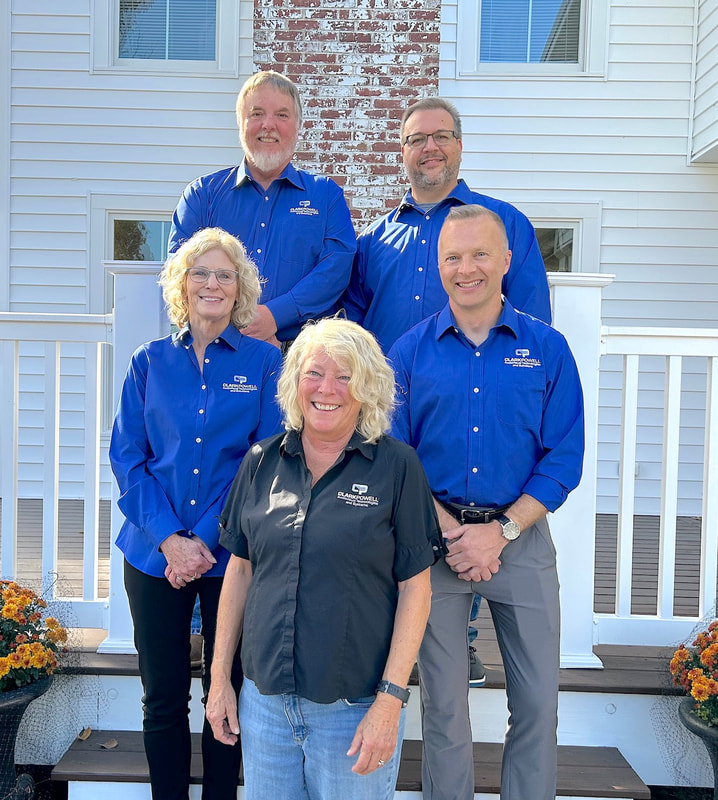
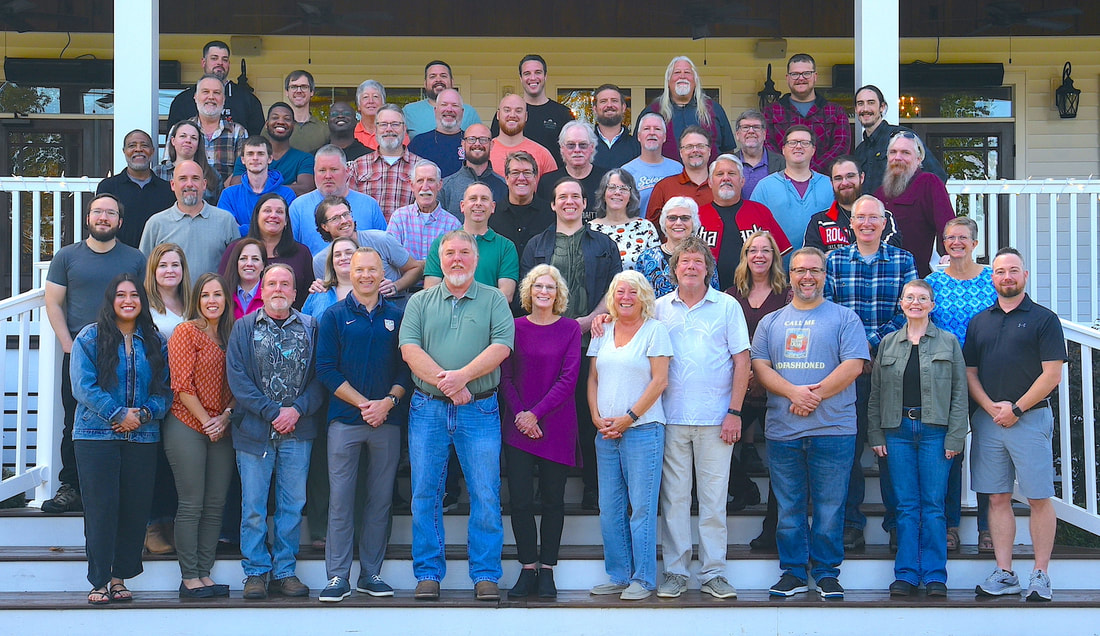
ClarkPowell, a top Pro AV integrator, just celebrated our 40th anniversary. Our success comes from our amazing team. Everyone, from warehouse operations to accounting, purchasing, service, engineering, design, installation, and sales, plays a key role. Our team's expertise and dedication help us consistently exceed client expectations. The entire team's commitment to excellence and innovation keeps us growing and staying ahead of the competition. By constantly improving our processes and embracing new tech, we maintain our edge. Every team member, whether behind the scenes or on the front lines, is crucial to making ClarkPowell a leader in the industry. If you have an AV project, we would love to hear from you. We will have an account manager reach out to you. 800 532 1099 [email protected] 

A cutting-edge corporate rental space has recently been completed at 500 West 5th Street in downtown Winston-Salem.
ClarkPowell, in long-term collaboration with Flow, has expertly designed and installed state-of-the-art AV solutions for the Flow Corporate headquarters within this building. Additionally, we have provided comprehensive AV systems for the other companies and organizations located in the 18-story skyscraper.
In this prime corporate rental space, a Sony VPL-PHZ61 laser projector was selected for the conference area. This projector offers outstanding picture performance, flexible installation options, minimal maintenance, and exceptional reliability, making it an ideal choice for an integrated AV environment.

Support for 4K 60P input signals makes life simpler when you’re using the VPL-PHZ61/51 in multi-screen set-ups with flat panel sub-screens. Just split the same 4K signal to drive all your displays, with no conversion needed. There’s also a high-performance image scaler that effortlessly converts 4K input signals to WUXGA resolution while achieving close to 4K image quality. Now optimized for 4K60P signals, Reality Creation is Sony’s unique picture enhancement feature that gives projected images even greater crispness and depth. There’s also support for devices with content protection such as 4K UHD players. For more information or a demo, please contact a ClarkPowell specialist ✆ 800 532 1099 ⓔ [email protected] 
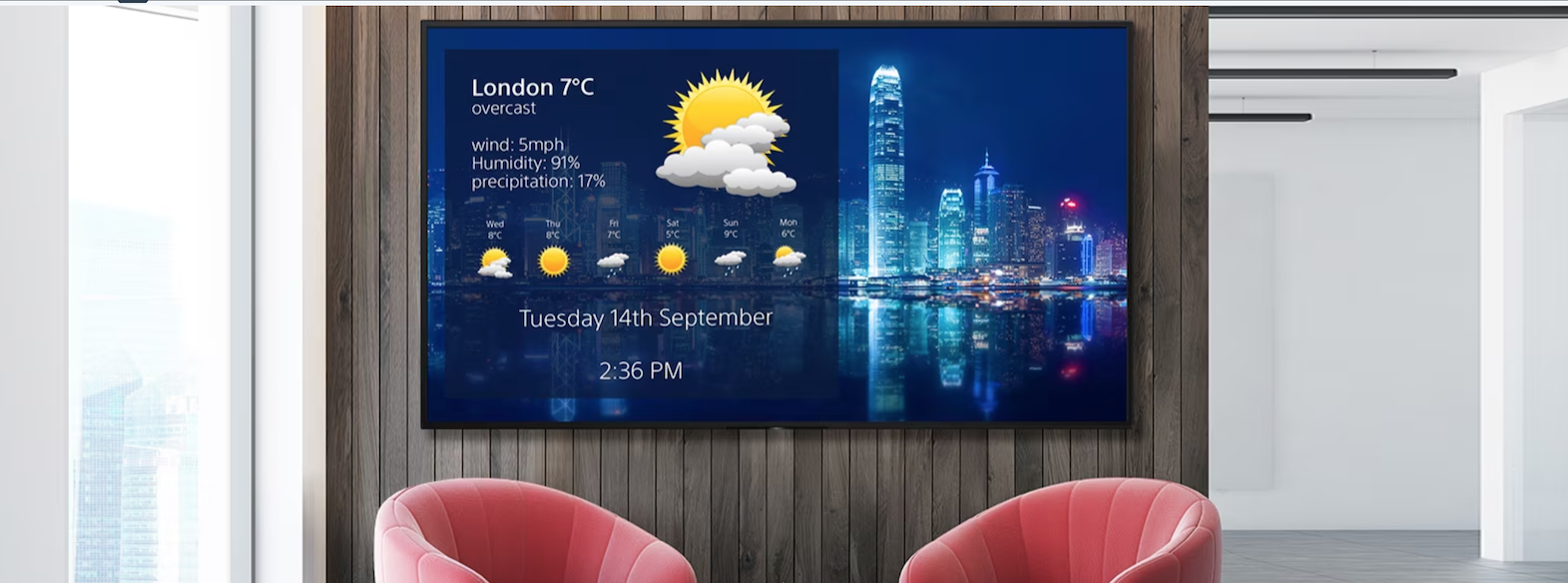
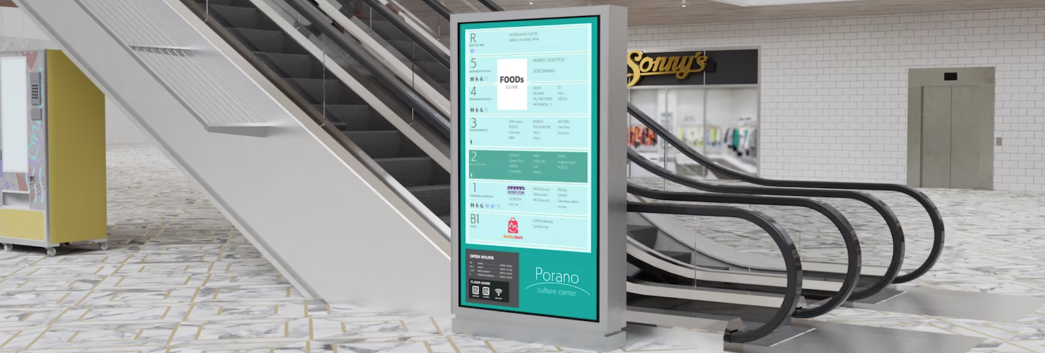
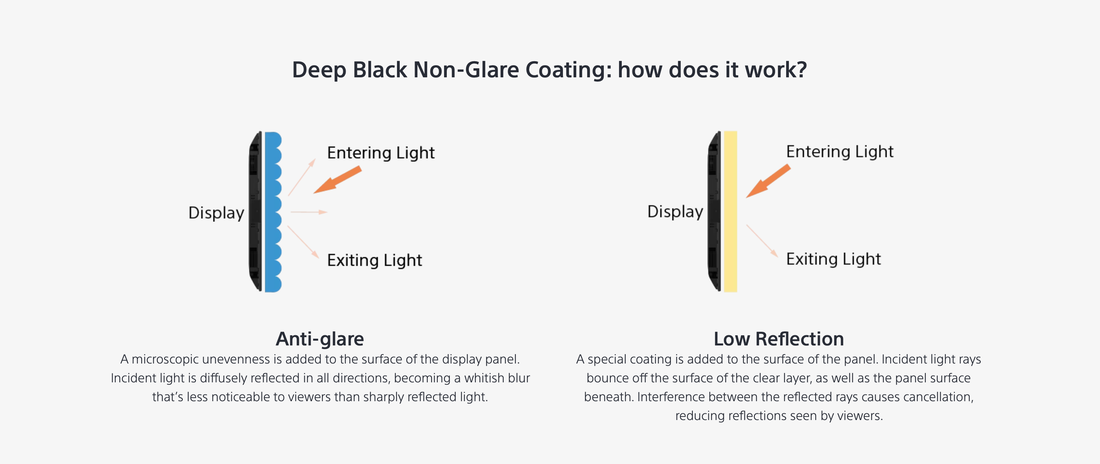
Sony Bravia EZ20L Series - Business-friendly with easy content sharing, control and customization.5/29/2024 Ideal for digital signage and corporate applications, slim, easy-to-use BRAVIA EZ20L Series professional displays add impact to all your visual communications. Very high 4K picture quality is complemented by simple setup, content sharing and networked control in today’s connected AV environments.  Available in screen sizes from 43”-85”, BRAVIA EZ20L Series features advanced Sony picture processing technologies to ensure your content looks its best with fine detail, brilliant colors and smooth movement. The panel offers 350 nit brightness for high visibility in indoor environments, with a wide viewing angle to ensure everyone in the room enjoys crisp, clear images wherever they’re positioned. The slim design of BRAVIA EZ20L incorporates an X-Balanced Speaker™, offering clear voice quality to enhance video conferences and digital signage. Speak to one of our display experts to find out how we can help you: 800 532 1099 [email protected] VPL-FHZ85 / VPL-FHZ80 |
|||||||||




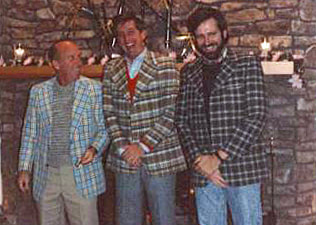 | Read Clark, Don Norwood and David Powell made the decision to start ClarkPowell in 1983. They saw a need for a company that would offer exceptional service and superior value to AV professionals throughout the Carolinas. |
Four decades later, ClarkPowell has busy offices in Winston-Salem, Raleigh, Charlotte and Columbia with more than 300 AV integration projects completed every year. Read, Don and David would be overjoyed by what we all have accomplished.
ClarkPowell is still a family company at its core. Read Clark’s daughter, Stephanie Clark Bluhm, took over the presidency of the company in 2010 followed by her sister Susan Clark Pinch in 2016.
ClarkPowell is still a family company at its core. Read Clark’s daughter, Stephanie Clark Bluhm, took over the presidency of the company in 2010 followed by her sister Susan Clark Pinch in 2016.
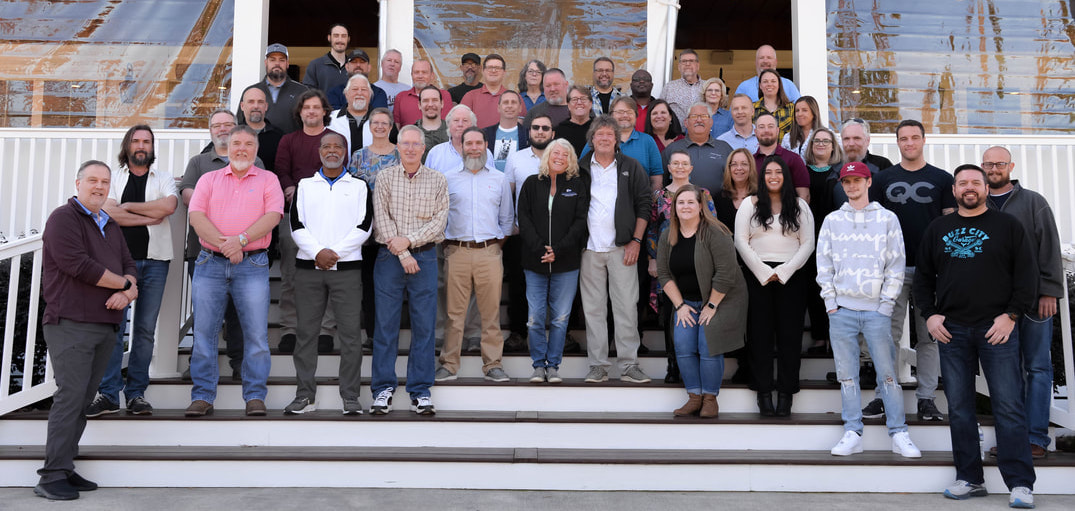
ClarkPowell is a successful company because of the employees’ continuous efforts and years of dedicated service. They make the mission and vision of ClarkPowell a reality and this milestone possible.
We are celebrating 40 years of relationships with our loyal customers, technology partners and the wonderful communities we serve in North and South Carolina. We celebrate every September with our Fusion Technology Expo which is a successful engagement between our customers and manufacturers, showcasing the most innovative AV solutions.
ClarkPowell joined PSNI in 1990 as one of the first PSNI affiliates and has partnered with other PSNI affiliates to complete AV integrations around the world.
We invest significantly in research and the continued education of our team to ensure we are up to date with the latest technologies and remain specialists in the AV industry.
Thank you for your support of ClarkPowell and we look forward to all that's to come.
We are celebrating 40 years of relationships with our loyal customers, technology partners and the wonderful communities we serve in North and South Carolina. We celebrate every September with our Fusion Technology Expo which is a successful engagement between our customers and manufacturers, showcasing the most innovative AV solutions.
ClarkPowell joined PSNI in 1990 as one of the first PSNI affiliates and has partnered with other PSNI affiliates to complete AV integrations around the world.
We invest significantly in research and the continued education of our team to ensure we are up to date with the latest technologies and remain specialists in the AV industry.
Thank you for your support of ClarkPowell and we look forward to all that's to come.
Crystal LED Video Walls for Corporate
Delivering the premium picture quality of Crystal LED and improved installation flexibility, Sony's supersized video walls are designed to excel in the corporate environment.
Make your message clearer than it's even been. Crystal LED transforms large-scale visual communications in boardrooms, lobbies, and corporate spaces.
Speak To A ClarkPowell Specialist Today!
800 532 1099
[email protected]
It was great to see everyone who attended the ClarkPowell Roadshow last month in Winston-Salem, Charlotte & Columbia SC.
We showcased the latest 21:9 aspect ratio flat panel display used for Microsoft Teams new "Front Row" layout to our clients. Our account managers discussed how this new immersive experience can enhance your hybrid meetings.
In case you missed it, we will be featuring this 21:9 ultrawide conferencing space on the show floor of ClarkPowell's Fusion Tech Expo on the 20th September in Raleigh, NC.

A huge thank you to our partners for sponsoring the event & bringing all their expertise and new technology to our clients in the Carolinas.
With the advanced PTZ Auto Framing feature, the camera automatically track the target in a comfortable viewing with smooth Pan-Tilt-Zoom movement regardless of posture, movement and what one is wearing.
Since the camera does most of the work automatically, the operator can spend its time efficiently.
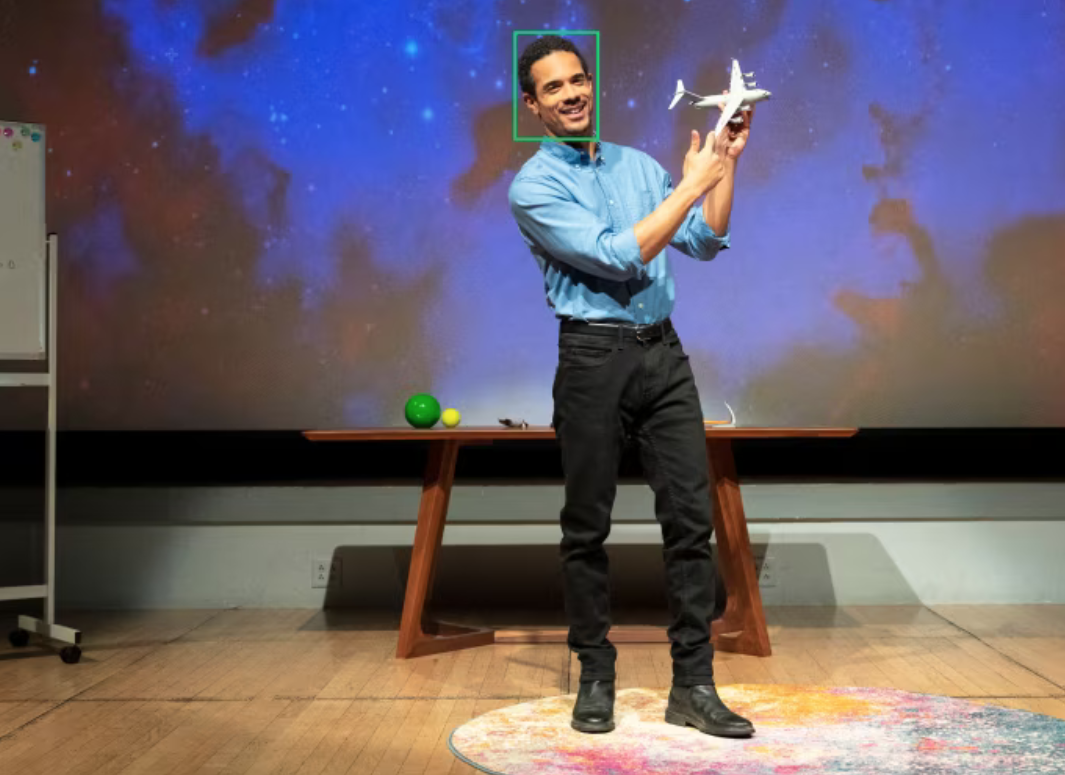
This camera harnesses powerful AI-powered video analytics that can automatically detect and track the position of a presenter within the camera frame. As the presenter moves, the camera’s pan/tilt/zoom mechanism ensures that the presenter is always framed naturally, without the need for a human camera operator to manually follow their movements.
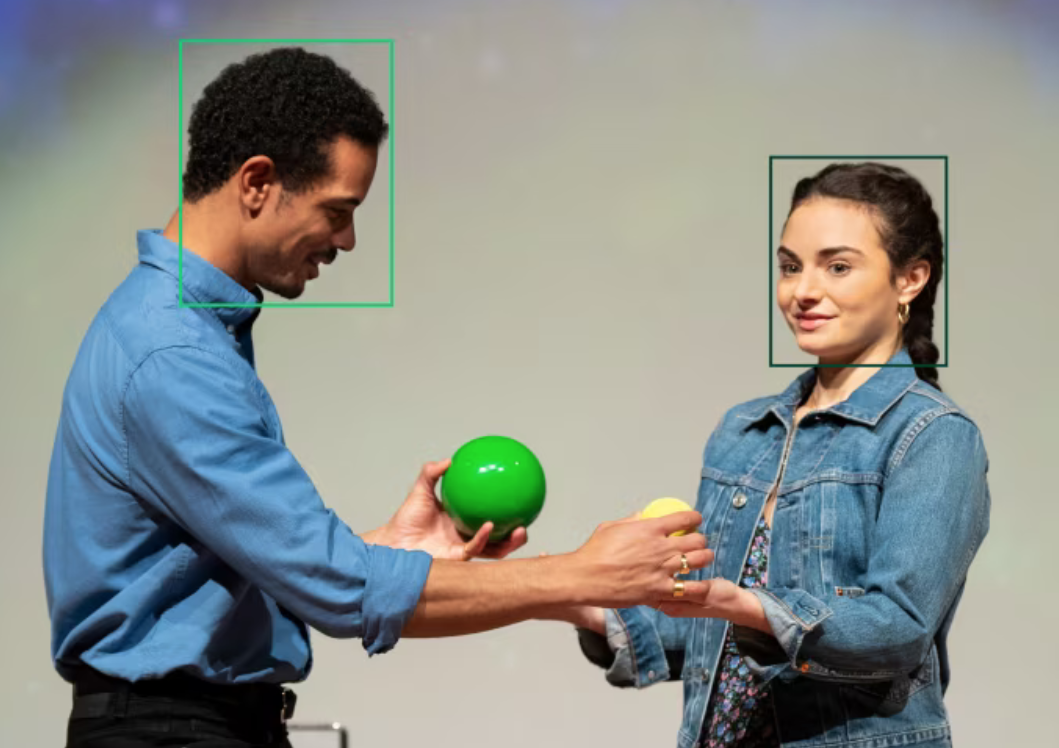
Automatically and reliably shoots video for youWith Sony’s newly developed AI analytics algorithm, it detects and tracks the subject, even when there are several people in the frame.
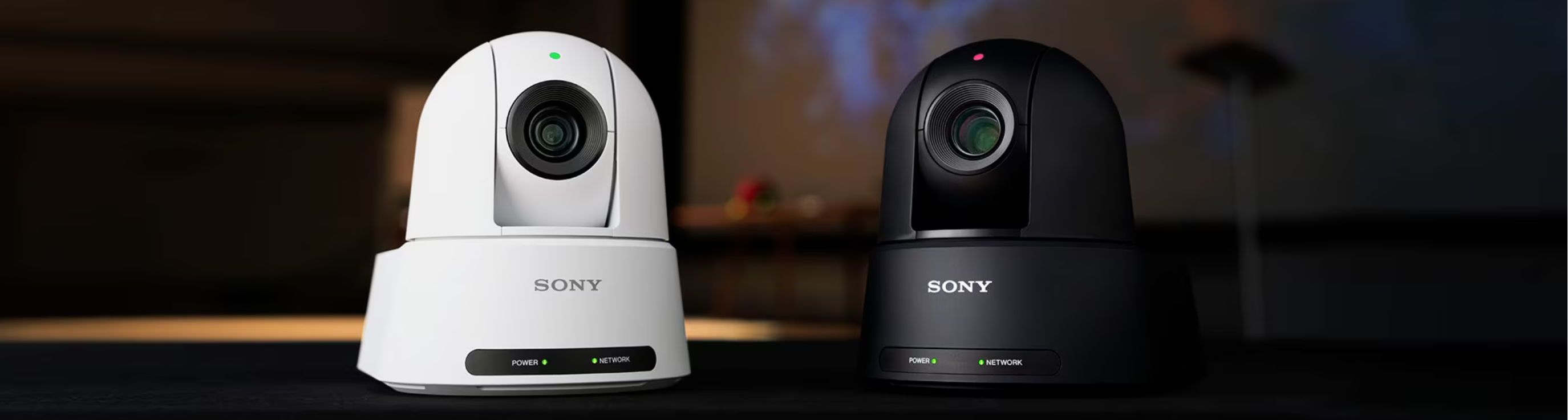
Available later in the summer. If you need any additional information, you can always reach out to your ClarkPowell sales representative or contact a ClarkPowell specialist ✆ 800 532 1099 ⓔ [email protected]
ClarkPowell has recently learned that Leightronix will no longer be using their reseller channel. This means we will no longer be able to offer Leightronix hardware upgrades, VieBit subscriptions, or Total Info subscriptions.
What does this mean for you and your organization?
You can still purchase Viebit subscriptions and Total Info subscriptions directly through the Leightronix website. If you currently use under warranty Leightronix hardware, you’ll need to go through the Leightronix website customer portal and create a support request.
If you have out-of-warranty hardware, you can also use the web portal, but be aware there’s a charge for support. Also, it’s unclear how long Leightronix will continue to service out-of-warranty hardware.
ClarkPowell will always try to assist whenever you have equipment issues, and that won’t change if you run into problems with your Leightronix equipment. Our hope is that Leightronix will continue to assist ClarkPowell if we are troubleshooting Leightronix hardware/software.
What does this mean for you and your organization?
You can still purchase Viebit subscriptions and Total Info subscriptions directly through the Leightronix website. If you currently use under warranty Leightronix hardware, you’ll need to go through the Leightronix website customer portal and create a support request.
If you have out-of-warranty hardware, you can also use the web portal, but be aware there’s a charge for support. Also, it’s unclear how long Leightronix will continue to service out-of-warranty hardware.
ClarkPowell will always try to assist whenever you have equipment issues, and that won’t change if you run into problems with your Leightronix equipment. Our hope is that Leightronix will continue to assist ClarkPowell if we are troubleshooting Leightronix hardware/software.
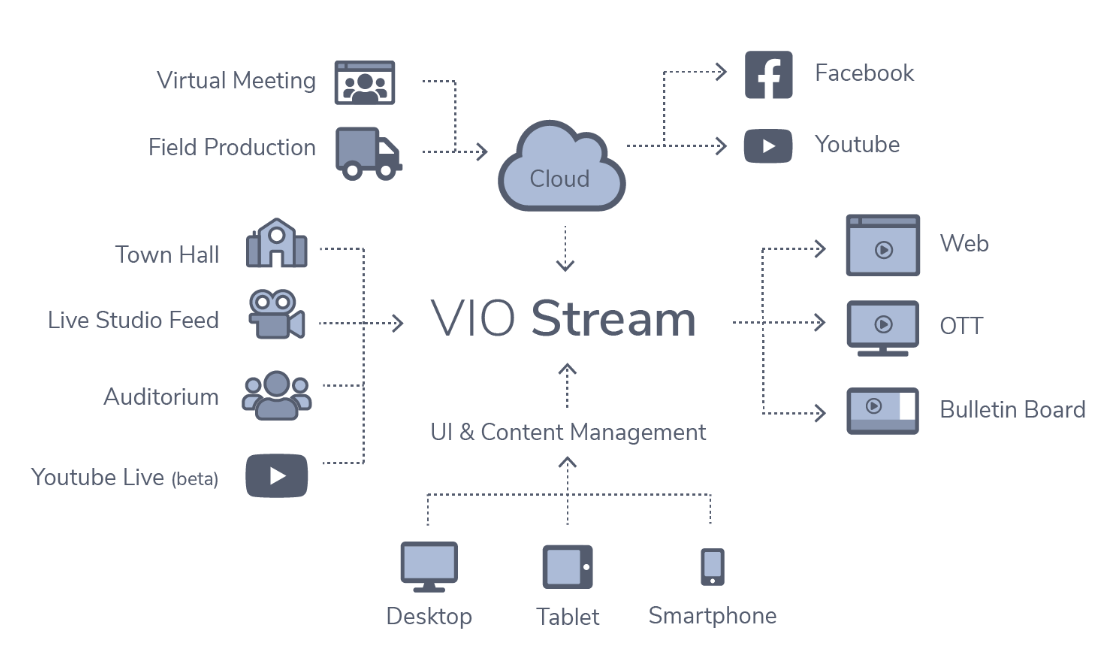
If you are interested in replacing your current Leightronix hardware, video-on-demand, or streaming service with a different system, ClarkPowell also works with Cablecast. Cablecast offers solutions similar to Leightronix, but they also offer additional solutions that may fit your needs. In addition to video servers, Cablecast also offers 24/7 streaming, video-on-demand, and OTT solutions. And their support is top notch.
If you need any additional information on Leightronix and/or Cablecast, or if you would like to schedule a demo, you can reach out to Warren Baker ✆ 800 532 1099
ⓔ [email protected]
Our goal, as always, is to help you find the best solution to fit your application and your budget.
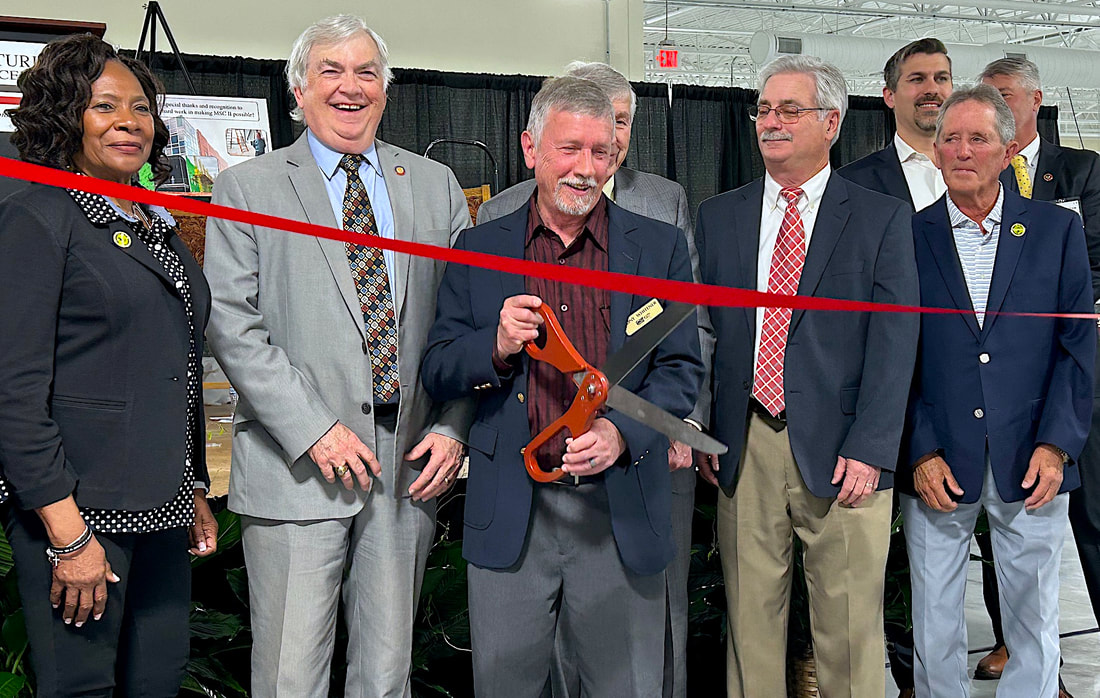
Tony Whitener, Special Projects Director of the MSC, pictured above cutting the ribbon and officially opening the new building.
The MSC Phase II building is a two-story, 75,000 square-foot facility that houses four local manufacturers that graduated from the MSC’s business incubator and expanded MSC services.
The MSC is a facility where innovative concepts may be put through design or the research and development processes. It's where products and prototypes are tested; manufacturing processes are fine-tuned and accurate cost and product studies are performed. The MSC has the mission of supporting US manufacturers and creating and retaining US manufacturing jobs.
The MSC Phase II building is a two-story, 75,000 square-foot facility that houses four local manufacturers that graduated from the MSC’s business incubator and expanded MSC services.
The MSC is a facility where innovative concepts may be put through design or the research and development processes. It's where products and prototypes are tested; manufacturing processes are fine-tuned and accurate cost and product studies are performed. The MSC has the mission of supporting US manufacturers and creating and retaining US manufacturing jobs.
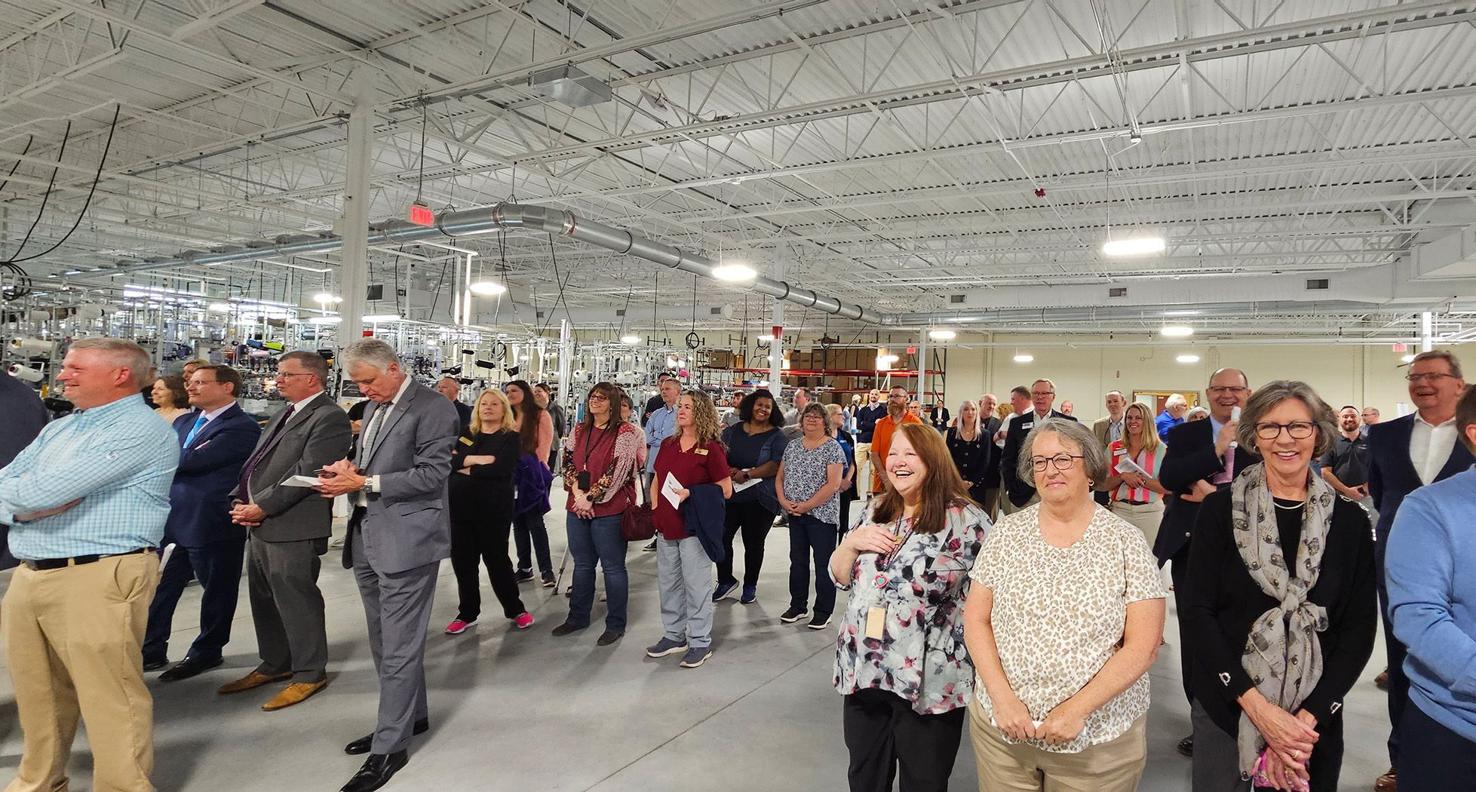
ClarkPowell partnered with the MSC to design and install an audiovisual solution in the new building. The project was to include training rooms, conference rooms and a large networking space to aide in the growing resources provided by the center.
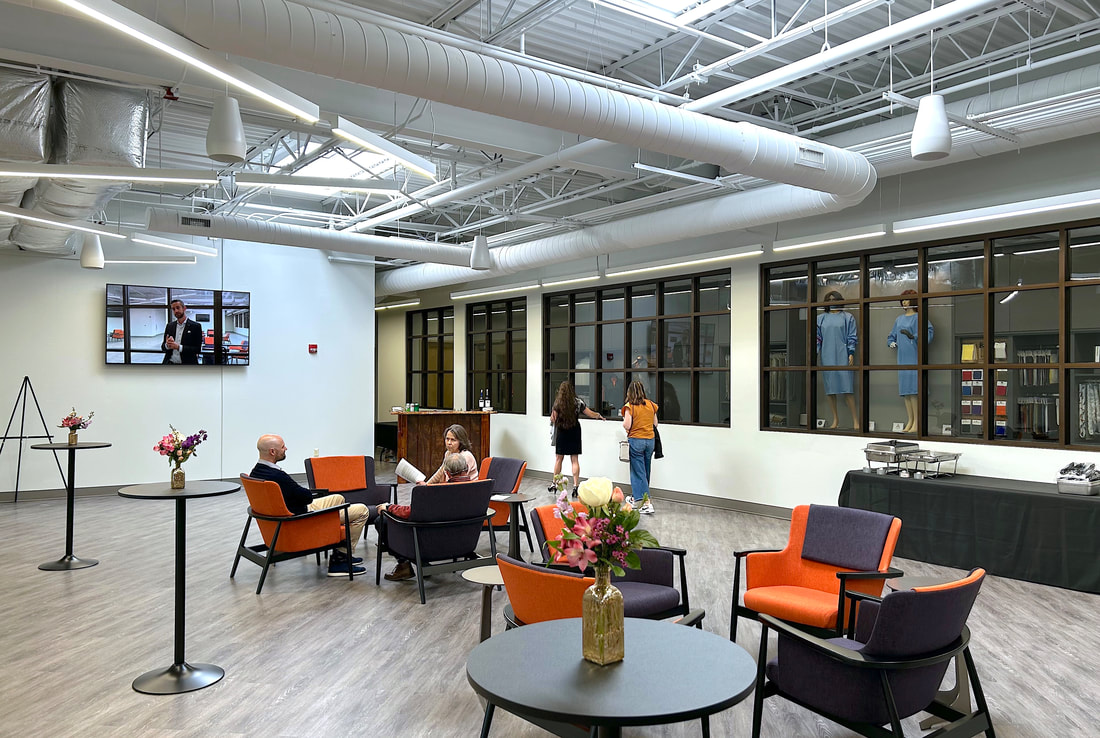
ClarkPowell chose to go with the new Biamp AV over IP solution due to equipment availability for a hard deadline for opening and for how user-friendly the solution is.
The Biamp control solution consists of a Biamp Impera Tango control processor and a Biamp Forte DSP with the combination of Biamp Apprimo TEC-X 2000 room controllers and touch panels
The Biamp control solution consists of a Biamp Impera Tango control processor and a Biamp Forte DSP with the combination of Biamp Apprimo TEC-X 2000 room controllers and touch panels
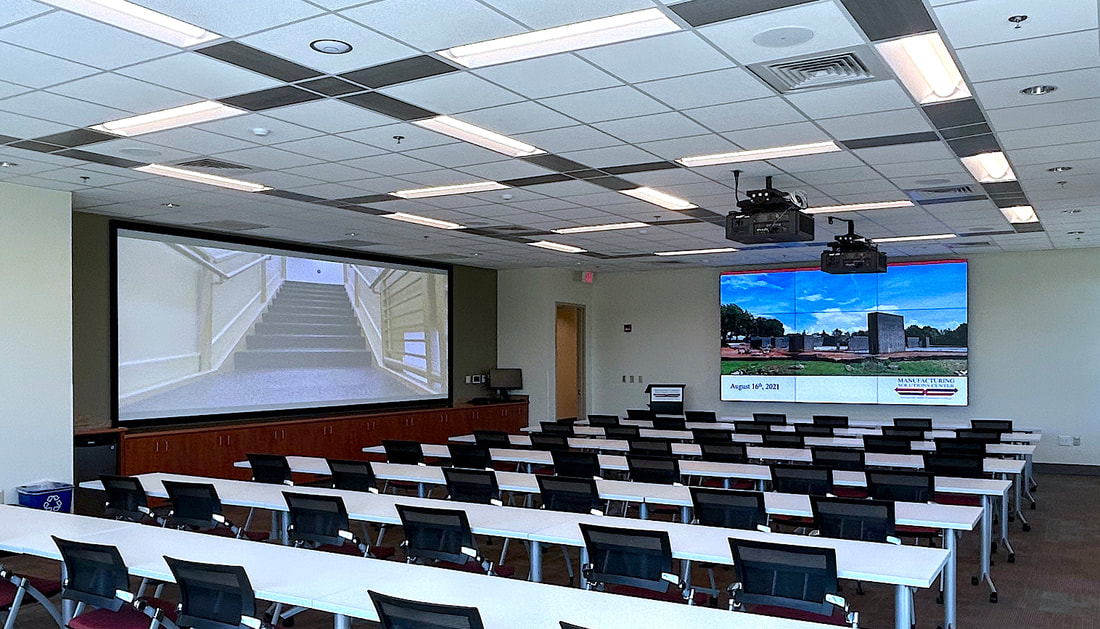
The install also includes a conference room featuring a NEC LED video wall with an ultra narrow bezel and two 10,000 lumens laser projectors that are edge blended to fill the Da-Lite fixed screen.
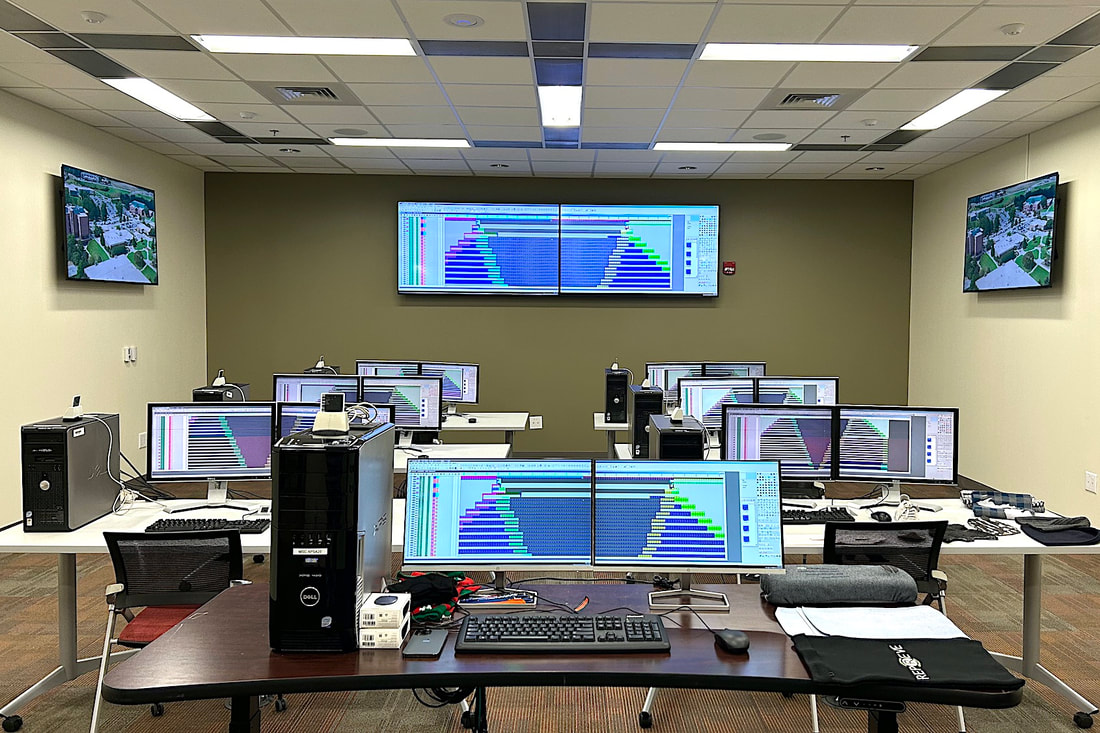
The install included 12 Sony displays ranging from 55” to 100” and each room has an individual room control.
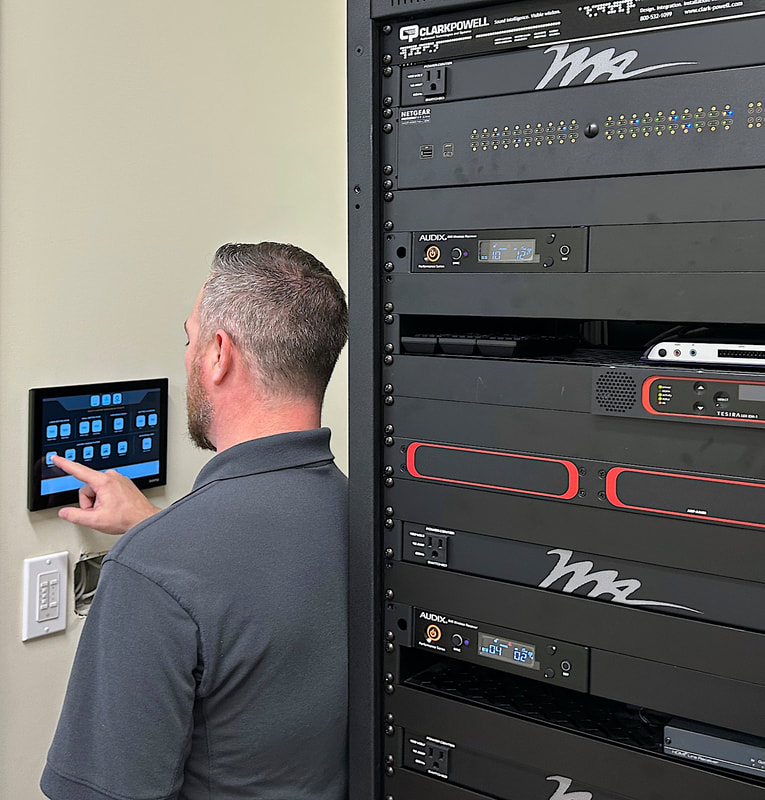
ClarkPowell's Account Manager, Mark Lawing seen here routing different signage players to various displays for the opening event. The Apprino 10” touch panel in the rack room allows any source selected to be routed to any display in the building.
Sony's slim, energy-efficient professional displays combine spectacular 4K HDR picture quality with versatile integration options and low running costs.
Sony's full range of BRAVIA Professional Displays offer a full range of sizes from 32-inch for huddle spaces and small meeting rooms, to our flagship 100-inch display for large conference rooms and digital signage applications. The displays are ideal for commercial applications where it is essential to captivate and clearly communicate with viewers.
Available in sizes up to 100”, BRAVIA Professional Displays harness the latest Sony picture processing technologies to deliver impressively bright, vivid images bursting with exquisite detail and rich, lifelike color. They’re made for business, fitting seamlessly into today’s networked AV environments with smart customization and management features.
Give every audience member a rich, powerful sound experience with the SLS-1A. Discover the compact, uniquely versatile modular system that offers an ideal audio solution for corporate and education environments.
For more information or a demo, please contact a ClarkPowell specialist
✆ 800 532 1099 ⓔ [email protected]
For more information or a demo, please contact a ClarkPowell specialist
✆ 800 532 1099 ⓔ [email protected]
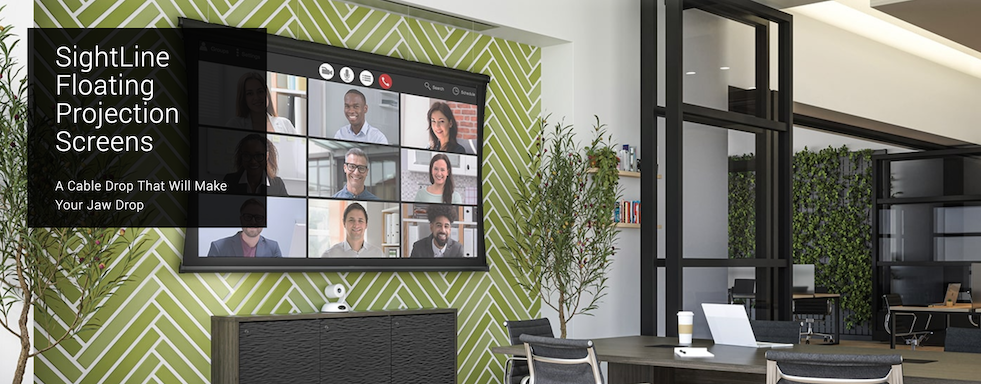
Da-Lite Commercial Projector Screens
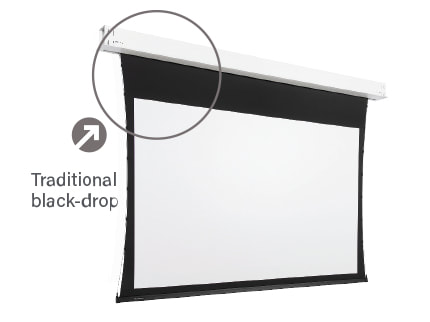
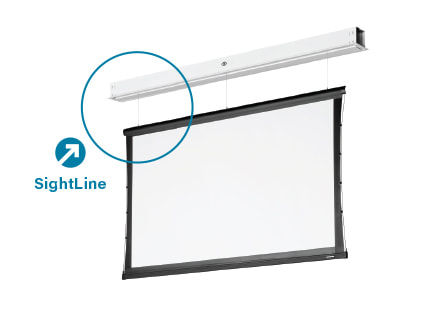
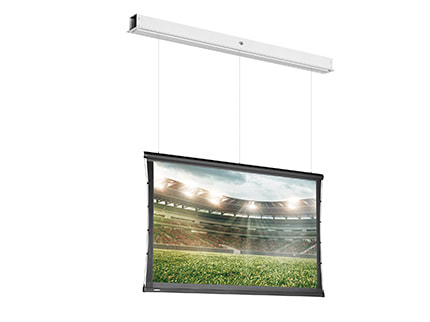
The latest innovation in projection screen design is here. The most popular electric screens now feature SightLine technology, a new cable drop option that gives the impression of a floating screen.
Instead of the traditional black drop, screens with SightLine are suspended by slim, sleek cables that help preserve the architecture of the space. The screen virtually floats in the room and completely disappears when not in use.
This makes SightLine ideal for today’s hybrid applications where office room environments are not solely dedicated to one single presentation, meeting room or video conferencing application.
The latest innovation in projection screen design is here. The most popular electric screens now feature SightLine technology, a new cable drop option that gives the impression of a floating screen.
Instead of the traditional black drop, screens with SightLine are suspended by slim, sleek cables that help preserve the architecture of the space. The screen virtually floats in the room and completely disappears when not in use.
This makes SightLine ideal for today’s hybrid applications where office room environments are not solely dedicated to one single presentation, meeting room or video conferencing application.
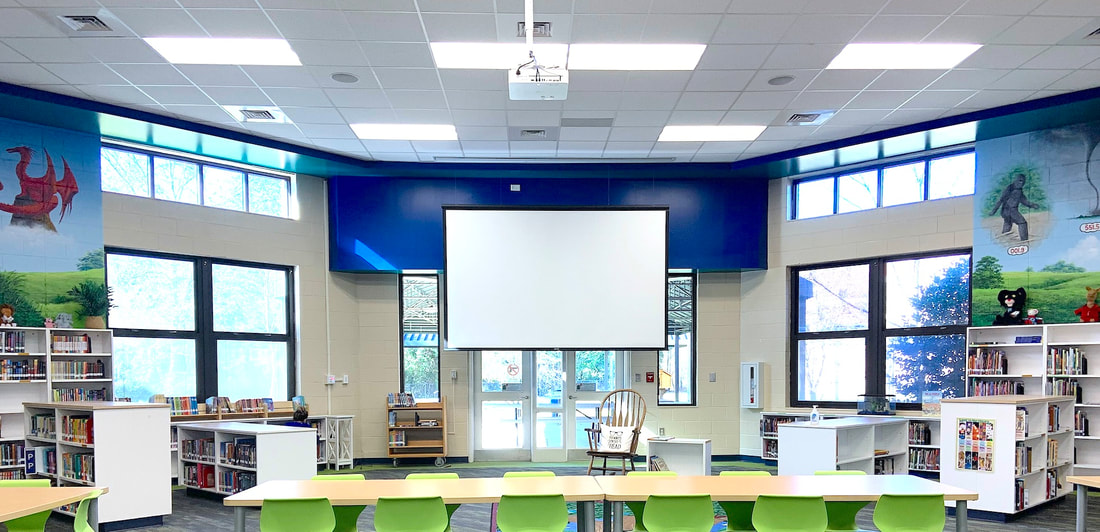
Simplified Screen Ordering and and Future-Proof Room Planning
SightLine makes it easier than ever to order and install a screen. The cable drop extends any length up to 70”/180 cm, eliminating the need to calculate black drop ahead of time. Just order the screen with the SightLine feature, and you’re on your way.
Once onsite, the drop distance is easily programmed to any height using the wall switch. After this, the screen will deploy to the same height each time. You can make changes as needed. And if future projector technology requires a different viewing height, SightLine easily accommodates a quick change to the position of the projection area.
SightLine makes it easier than ever to order and install a screen. The cable drop extends any length up to 70”/180 cm, eliminating the need to calculate black drop ahead of time. Just order the screen with the SightLine feature, and you’re on your way.
Once onsite, the drop distance is easily programmed to any height using the wall switch. After this, the screen will deploy to the same height each time. You can make changes as needed. And if future projector technology requires a different viewing height, SightLine easily accommodates a quick change to the position of the projection area.
For more information or a demo, please contact a ClarkPowell specialist
✆ 800 532 1099 ⓔ [email protected]
✆ 800 532 1099 ⓔ [email protected]
| sightline_flyer.pdf |
For more information or a demo, please contact a ClarkPowell specialist
✆ 800 532 1099 ⓔ [email protected]
Fusion Technology Expo 2022. After a two-year hiatus, Fusion is back, and it’s here to stay!
11/8/2022
Fusion Tech Expo 2022 recently took place in Raleigh NC, on September 14th. The show was a huge success and is officially back and better than ever!
Fusion 2022 was a great opportunity to connect with our customers and partners again in person. We were able to get together and see and talk about all the new technology and ideas.
The feedback from everyone we spoke with was unanimous: Fusion 2022 was a huge success! Everyone felt that there were quality interactions which enabled a lot of solid connections to be made. After 2 years of missing it, it was great to see live demos and chat in person again with all of our industry friends and to meet new ones.
There were all kinds of impressive products showcased at this year’s show as well as a popular seminar program. The seminars were well-attended and topics included NDI, Video Walls, Distance Learning, Video over IP, Hybrid Learning and meeting environments. Seminar attendees were also able to receive industry certifications. Planar presented a seminar that offered AIA credits and Legrand attendees received CTS RU credits.
The feedback from everyone we spoke with was unanimous: Fusion 2022 was a huge success! Everyone felt that there were quality interactions which enabled a lot of solid connections to be made. After 2 years of missing it, it was great to see live demos and chat in person again with all of our industry friends and to meet new ones.
There were all kinds of impressive products showcased at this year’s show as well as a popular seminar program. The seminars were well-attended and topics included NDI, Video Walls, Distance Learning, Video over IP, Hybrid Learning and meeting environments. Seminar attendees were also able to receive industry certifications. Planar presented a seminar that offered AIA credits and Legrand attendees received CTS RU credits.
Fusion is the leading regional tech expo focused on PRO AV with the top industry manufacturers exhibiting and showcasing the most innovative solutions. It is an annual show that alternates between Raleigh and Charlotte, North Carolina. Every year people in the southeast of the United States flock to this show to learn about the latest developments in the AV industry, connect with the experts and network with other people in their fields.
Fusion is a true celebration of collaboration with the latest Pro AV products and innovations on display. We look forward to seeing you at Fusion Tech Expo 2023!
Fusion is a true celebration of collaboration with the latest Pro AV products and innovations on display. We look forward to seeing you at Fusion Tech Expo 2023!
Ultra-Real, High-Resolution, Immersive Visuals, Architecturally Integrated and Scaled to Any Space
Crystal LED C-series and B-series turn the world’s biggest ideas into thrilling visual reality – from automotive and industrial product design, command and control centers, theme parks, museums, and galleries, to corporate lobbies, boardrooms, broadcast studios, retail and scientific research facilities, and more.
Crystal LED C-series and B-series turn the world’s biggest ideas into thrilling visual reality – from automotive and industrial product design, command and control centers, theme parks, museums, and galleries, to corporate lobbies, boardrooms, broadcast studios, retail and scientific research facilities, and more.
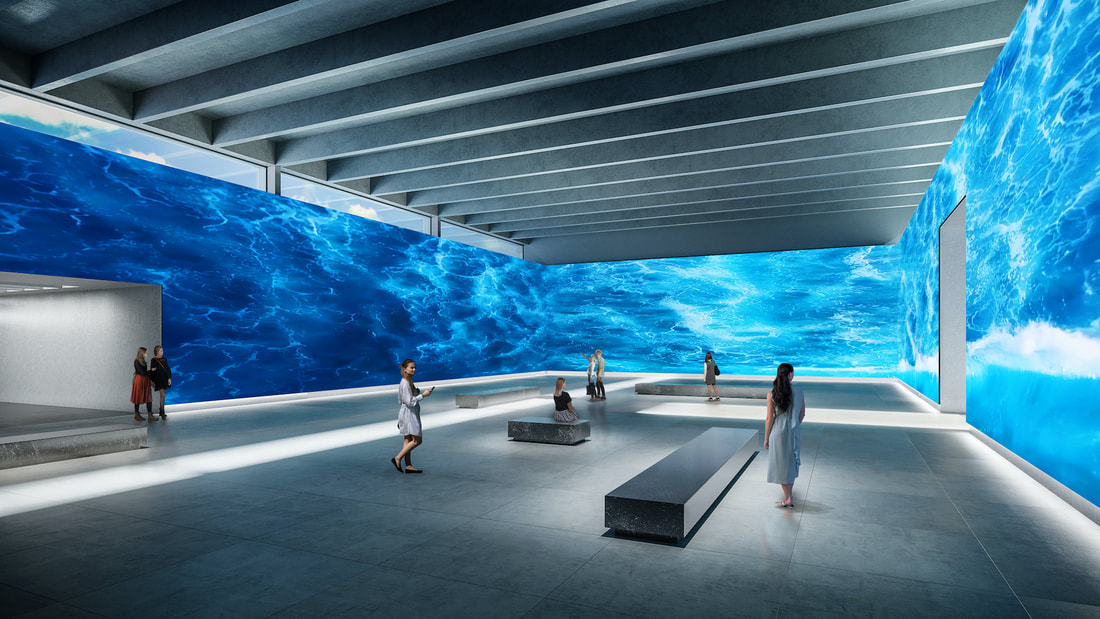
Crystal LED Display System
C-series displays are designed with high contrast in mind. Enjoy deep blacks and rich colors in a range of environments, including showrooms, entrances, and lobbies. B-series displays major in brightness, making them ideal for installation in brightly lit environments such as corporate lobbies, virtual sets, and production backdrops. Both C-series and B-series are available in two-pixel pitch sizes (P1.26mm and P1.58mm) to suit different applications.
X1™ for Crystal LED
The new Crystal LED series is equipped with our high-performance image-quality processor, “X1™ for Crystal LED,” incorporating the latest LED control technology developed for our pioneering Crystal LED, alongside the signal-processing technology praised in Sony’s BRAVIA TV series.
Realistic Color from Any Angle
The display achieves a remarkably wide color gamut for rich, accurate tonal reproduction. An extra-wide viewing angle ensures that everyone in the room can enjoy an uncompromised visual experience wherever they’re standing.
More Creative Installation Options
The modular display gives system integrators exceptional installation freedom. The slim, light Micro LED panels are easy to install without needing special skills or costly jigs and other complex equipment.
Freely Scalable
The modular system makes it easy to create custom large-scale display solutions to fit any space.
Flexible Installation
Slim, space-saving panels broaden installation options, including wall-mounted — or even curved. Flexible 100/240 V AC powering requirements.
Free Rear Space
Installation doesn’t require access space behind the cabinets, freeing up more room space. Quiet and Energy Efficient Energy-efficient Micro LED panel technology allows fanless design.
Contact a ClarkPowell expert today: ✆ 800 532 1099 ⓔ [email protected]
- Spectacularly immersive high brightness images with unprecedented depth and detail.
- Extraordinary contrast, HDR-ready — the tiny size of each microLED element, combined with 22bit Super Bit Mapping, results in an extraordinary contrast ratio of more than 1,000,000:1 — far beyond the performance of conventional LED array systems — for smooth, natural tonal gradients.
- Crystal clarity, with no image artifacts or picture noise.
- Exceptionally wide viewing angle, with no color shift from any viewpoint or angle.
- Seamless images on any scale, with no visible gaps or tiling lines between display modules.
C-series displays are designed with high contrast in mind. Enjoy deep blacks and rich colors in a range of environments, including showrooms, entrances, and lobbies. B-series displays major in brightness, making them ideal for installation in brightly lit environments such as corporate lobbies, virtual sets, and production backdrops. Both C-series and B-series are available in two-pixel pitch sizes (P1.26mm and P1.58mm) to suit different applications.
X1™ for Crystal LED
The new Crystal LED series is equipped with our high-performance image-quality processor, “X1™ for Crystal LED,” incorporating the latest LED control technology developed for our pioneering Crystal LED, alongside the signal-processing technology praised in Sony’s BRAVIA TV series.
Realistic Color from Any Angle
The display achieves a remarkably wide color gamut for rich, accurate tonal reproduction. An extra-wide viewing angle ensures that everyone in the room can enjoy an uncompromised visual experience wherever they’re standing.
More Creative Installation Options
The modular display gives system integrators exceptional installation freedom. The slim, light Micro LED panels are easy to install without needing special skills or costly jigs and other complex equipment.
Freely Scalable
The modular system makes it easy to create custom large-scale display solutions to fit any space.
Flexible Installation
Slim, space-saving panels broaden installation options, including wall-mounted — or even curved. Flexible 100/240 V AC powering requirements.
Free Rear Space
Installation doesn’t require access space behind the cabinets, freeing up more room space. Quiet and Energy Efficient Energy-efficient Micro LED panel technology allows fanless design.
Contact a ClarkPowell expert today: ✆ 800 532 1099 ⓔ [email protected]
We have the top industry manufacturers showcasing the most innovative solutions. Don't miss out on this great opportunity to learn from the tech experts tomorrow, September 14, 9AM-3PM at the Embassy Suites Raleigh-Durham/Research Triangle, 201 Harrison Oaks Blvd., Cary, NC 27513.
The event is free and so is the parking. Lunch is provided and there a raffle with door prizes. We welcome Walk Ins & look forward to seeing you tomorrow.
The event is free and so is the parking. Lunch is provided and there a raffle with door prizes. We welcome Walk Ins & look forward to seeing you tomorrow.
Fusion Tech Expo 2022 is offering a market-leading seminar program with AV industry expert speakers.
With just two weeks to go, Fusion 2022 has confirmed 5 seminars of FREE content with a fantastic line-up of speakers. The seminars will include topical case studies, interviews and training sessions from some of the biggest names in professional audiovisual technology.
North Carolina State University needed to transform its live remote learning course production capabilities to support the next generation of video & audio formats. Imagine Communications with Tony Pearson, DELTA, NC State, are presenting, How SMPTE ST-2110 modernized the Remote Learning at NCSU.
Planar’s course in Principles of Video Wall Display Technology, profiles a set of video wall applications and case studies with a summary of industry trends followed by key considerations for assembling a complete solution. This seminar is AIA accredited.
As businesses continue to adopt the practice of implementing AV systems over networks and shifting away from traditional signal transport modes, Legrand AV will offer insights into the benefits and best practices in designing and deploying your next AV over IP system.
Learn how NDI can benefit your video production. Jeremy Morris of NewTek is co-presenting with ClarkPowell's Warren Baker, a seminar on how NDI, a video over IP standard, is revolutionizing how video moves over network.
Come discuss the Mersive Solstice platform and learn how it can be used to support presentation and meeting needs in any meeting or learning space.
Don't miss out on this great opportunity to learn from the tech experts. Sign up today!
North Carolina State University needed to transform its live remote learning course production capabilities to support the next generation of video & audio formats. Imagine Communications with Tony Pearson, DELTA, NC State, are presenting, How SMPTE ST-2110 modernized the Remote Learning at NCSU.
Planar’s course in Principles of Video Wall Display Technology, profiles a set of video wall applications and case studies with a summary of industry trends followed by key considerations for assembling a complete solution. This seminar is AIA accredited.
As businesses continue to adopt the practice of implementing AV systems over networks and shifting away from traditional signal transport modes, Legrand AV will offer insights into the benefits and best practices in designing and deploying your next AV over IP system.
Learn how NDI can benefit your video production. Jeremy Morris of NewTek is co-presenting with ClarkPowell's Warren Baker, a seminar on how NDI, a video over IP standard, is revolutionizing how video moves over network.
Come discuss the Mersive Solstice platform and learn how it can be used to support presentation and meeting needs in any meeting or learning space.
Don't miss out on this great opportunity to learn from the tech experts. Sign up today!
We have the top industry manufacturers exhibiting and showcasing the most innovative solutions. Wednesday, September 14, 2022, 9AM-3PM at the Embassy Suites Raleigh-Durham/Research Triangle, 201 Harrison Oaks Blvd., Cary, NC 27513.
Fusion Tech Expo 2022 is offering a market-leading seminar program with AV industry expert speakers.
8/31/2022
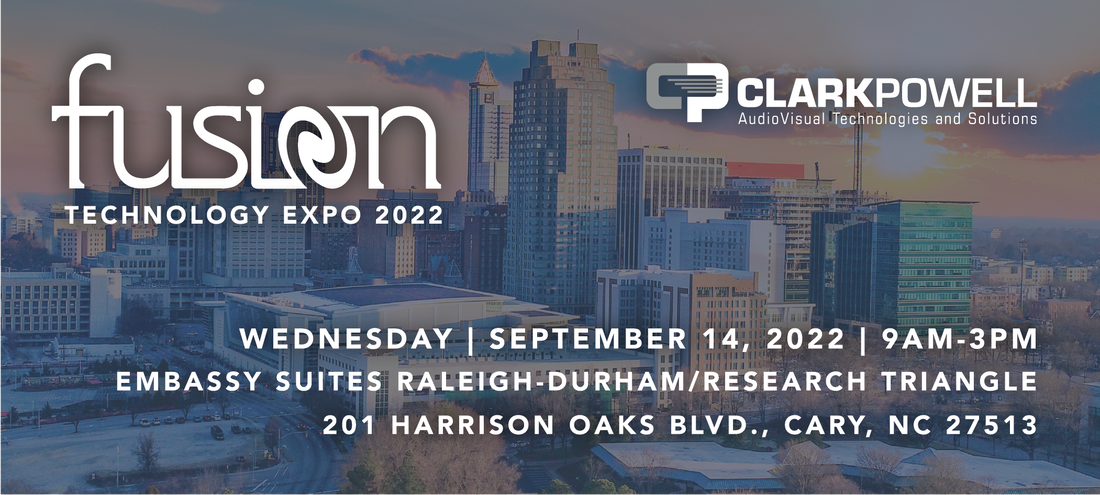
With just two weeks to go, Fusion 2022 has confirmed 5 seminars of FREE content with a fantastic line-up of speakers. The seminars will include topical case studies, interviews and training sessions from some of the biggest names in professional audiovisual technology.
North Carolina State University needed to transform its live remote learning course production capabilities to support the next generation of video & audio formats. Imagine Communications with Tony Pearson, DELTA, NC State, are presenting, How SMPTE ST-2110 modernized the Remote Learning at NCSU.
Planar’s course in Principles of Video Wall Display Technology, profiles a set of video wall applications and case studies with a summary of industry trends followed by key considerations for assembling a complete solution. This seminar is AIA accredited.
As businesses continue to adopt the practice of implementing AV systems over networks and shifting away from traditional signal transport modes, Legrand AV will offer insights into the benefits and best practices in designing and deploying your next AV over IP system.
Learn how NDI can benefit your video production. Jeremy Morris of NewTek is co-presenting with ClarkPowell's Warren Baker, a seminar on how NDI, a video over IP standard, is revolutionizing how video moves over network.
Come discuss the Mersive Solstice platform and learn how it can be used to support presentation and meeting needs in any meeting or learning space.
Don't miss out on this great opportunity to learn from the tech experts. Sign up today!
North Carolina State University needed to transform its live remote learning course production capabilities to support the next generation of video & audio formats. Imagine Communications with Tony Pearson, DELTA, NC State, are presenting, How SMPTE ST-2110 modernized the Remote Learning at NCSU.
Planar’s course in Principles of Video Wall Display Technology, profiles a set of video wall applications and case studies with a summary of industry trends followed by key considerations for assembling a complete solution. This seminar is AIA accredited.
As businesses continue to adopt the practice of implementing AV systems over networks and shifting away from traditional signal transport modes, Legrand AV will offer insights into the benefits and best practices in designing and deploying your next AV over IP system.
Learn how NDI can benefit your video production. Jeremy Morris of NewTek is co-presenting with ClarkPowell's Warren Baker, a seminar on how NDI, a video over IP standard, is revolutionizing how video moves over network.
Come discuss the Mersive Solstice platform and learn how it can be used to support presentation and meeting needs in any meeting or learning space.
Don't miss out on this great opportunity to learn from the tech experts. Sign up today!
We have the top industry manufacturers exhibiting and showcasing the most innovative solutions. Wednesday, September 14, 2022, 9AM-3PM at the Embassy Suites Raleigh-Durham/Research Triangle, 201 Harrison Oaks Blvd., Cary, NC 27513.